When to Reschedule
Sometimes a checkride needs to be moved to a different date, time, or location. Common reasons include weather concerns, aircraft availability, personal schedule changes, or an applicant requesting a different time. DPE Waitlist makes rescheduling straightforward while keeping the applicant informed throughout the process.
How to Reschedule
To reschedule a checkride:
- Open the checkride detail view by clicking the checkride on your calendar or finding it in the Checkrides list view.
- In the detail view, edit the fields you need to change: date, time, or location.
- Save your changes.
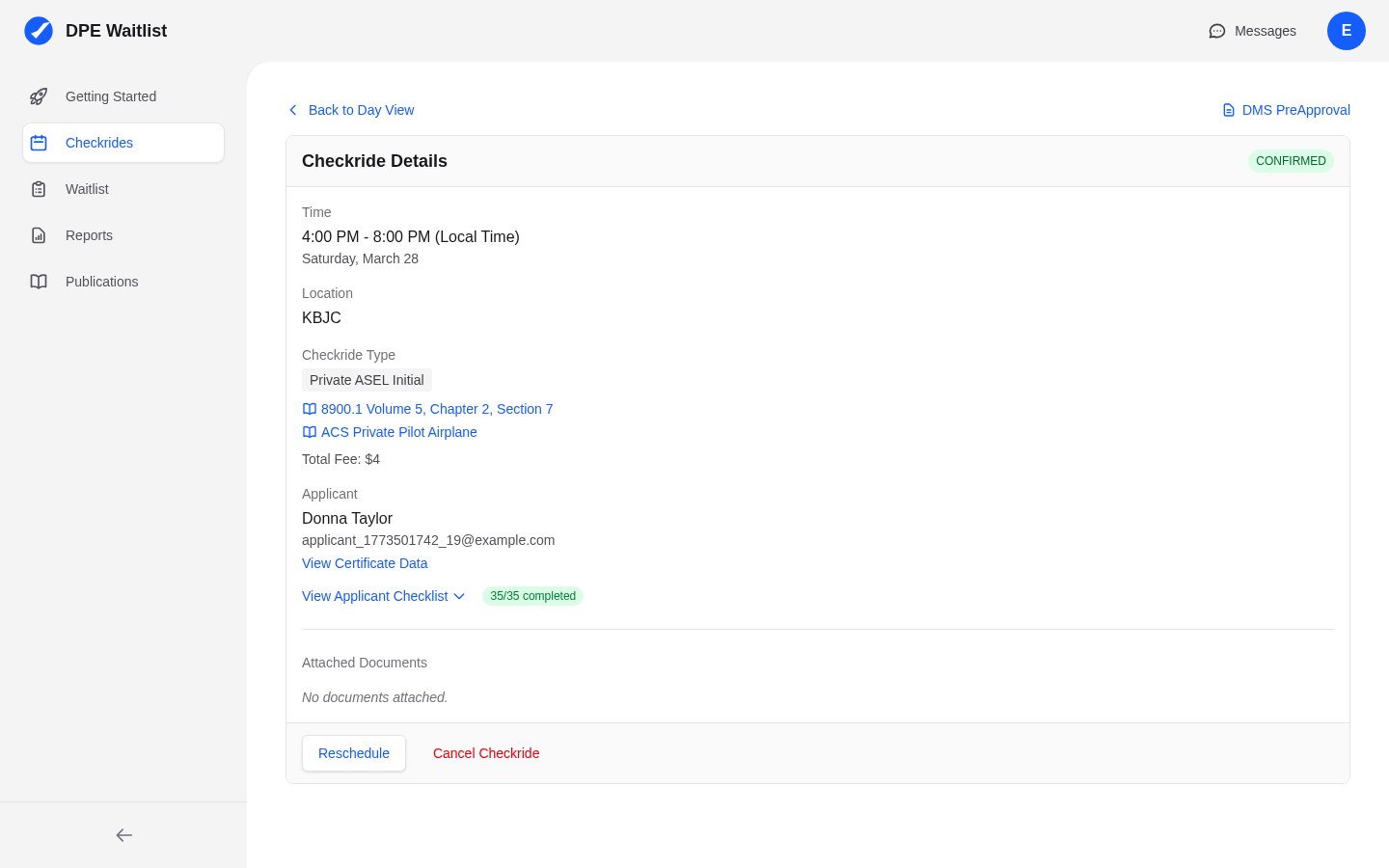
The rescheduling process updates the existing checkride record rather than canceling and creating a new one. This preserves the full history of the checkride, including the original offer date and any prior changes.
Which Checkrides Can Be Rescheduled
You can only reschedule checkrides that are in one of these statuses:
- OFFERED — The checkride has been proposed but not yet accepted by the applicant.
- CONFIRMED — The applicant has accepted and the checkride is on the calendar.
Applicant Notification
When you reschedule a checkride, the applicant is automatically notified about the change through the platform's messaging system. The notification includes the updated date, time, and/or location so the applicant can adjust their plans accordingly.