Where to Write Instructions
Navigate to Settings and open the Instructions tab. Click New Instructions, then:
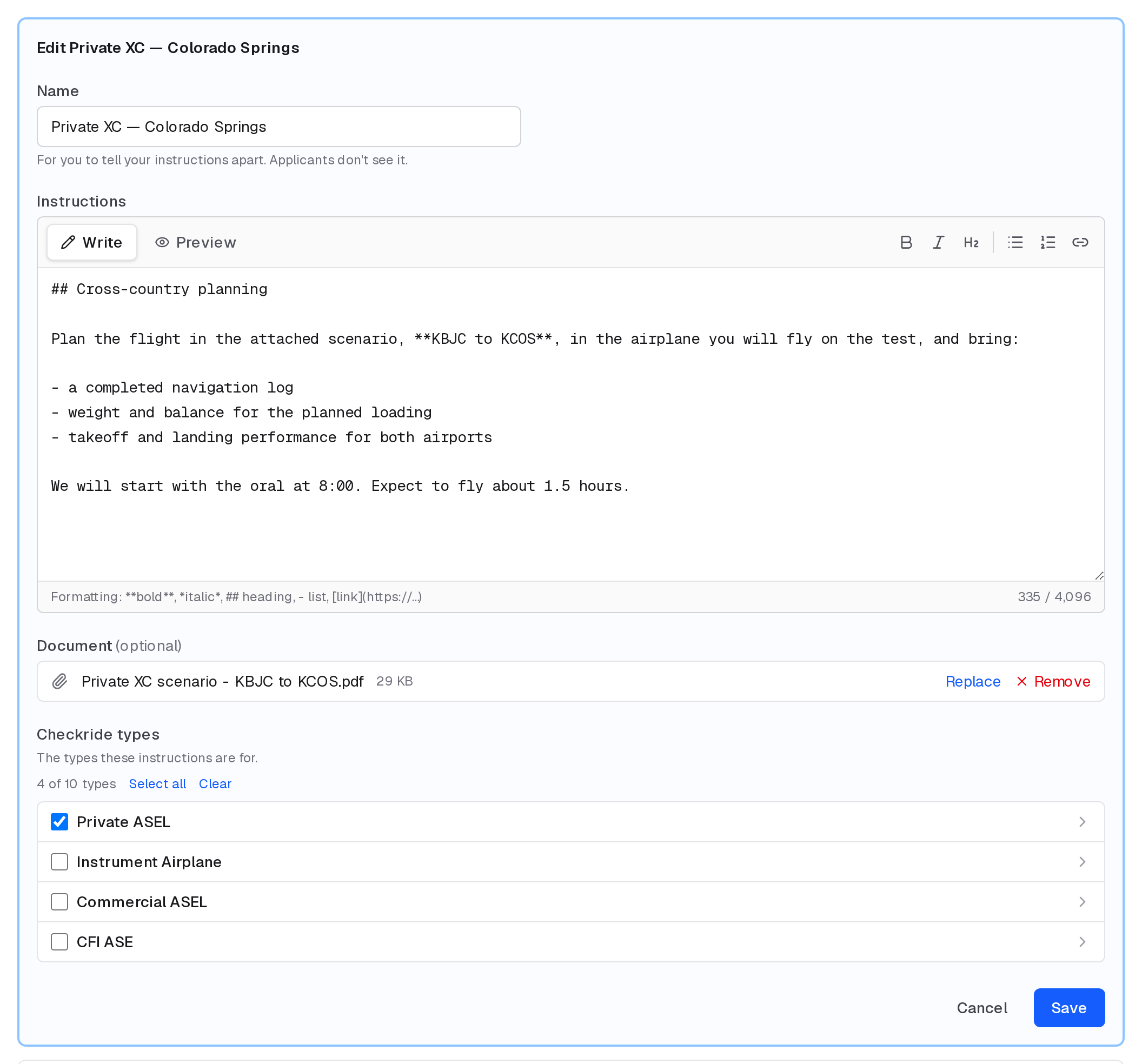
- Name them, so you can tell them apart (for example "Private XC — Colorado Springs"). New instructions start as "Instructions 1", "Instructions 2" and so on. Applicants don't see the name.
- Write them. The toolbar adds bold, italics, headings, lists and links, and Preview shows them as applicants will see them.
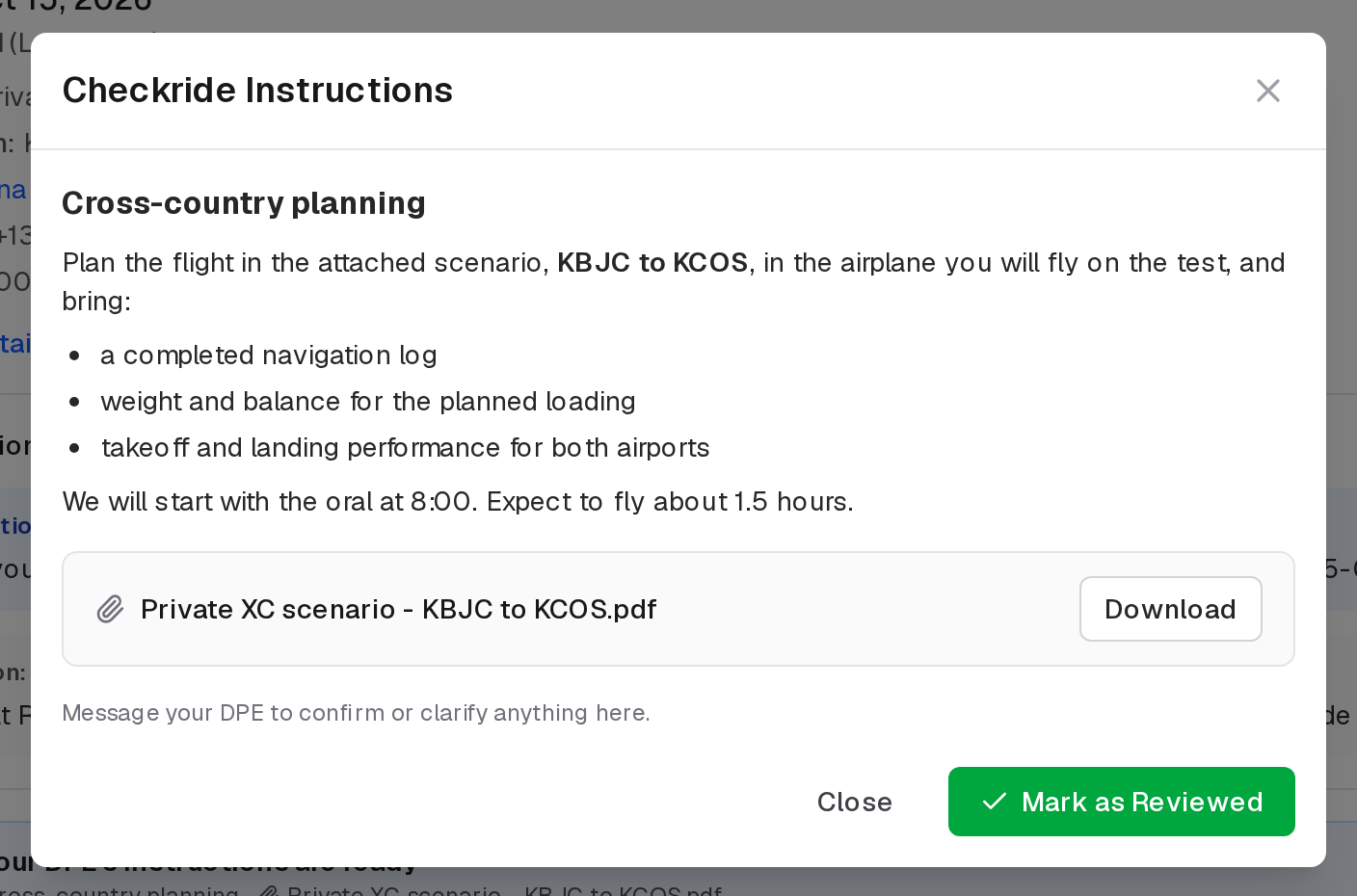
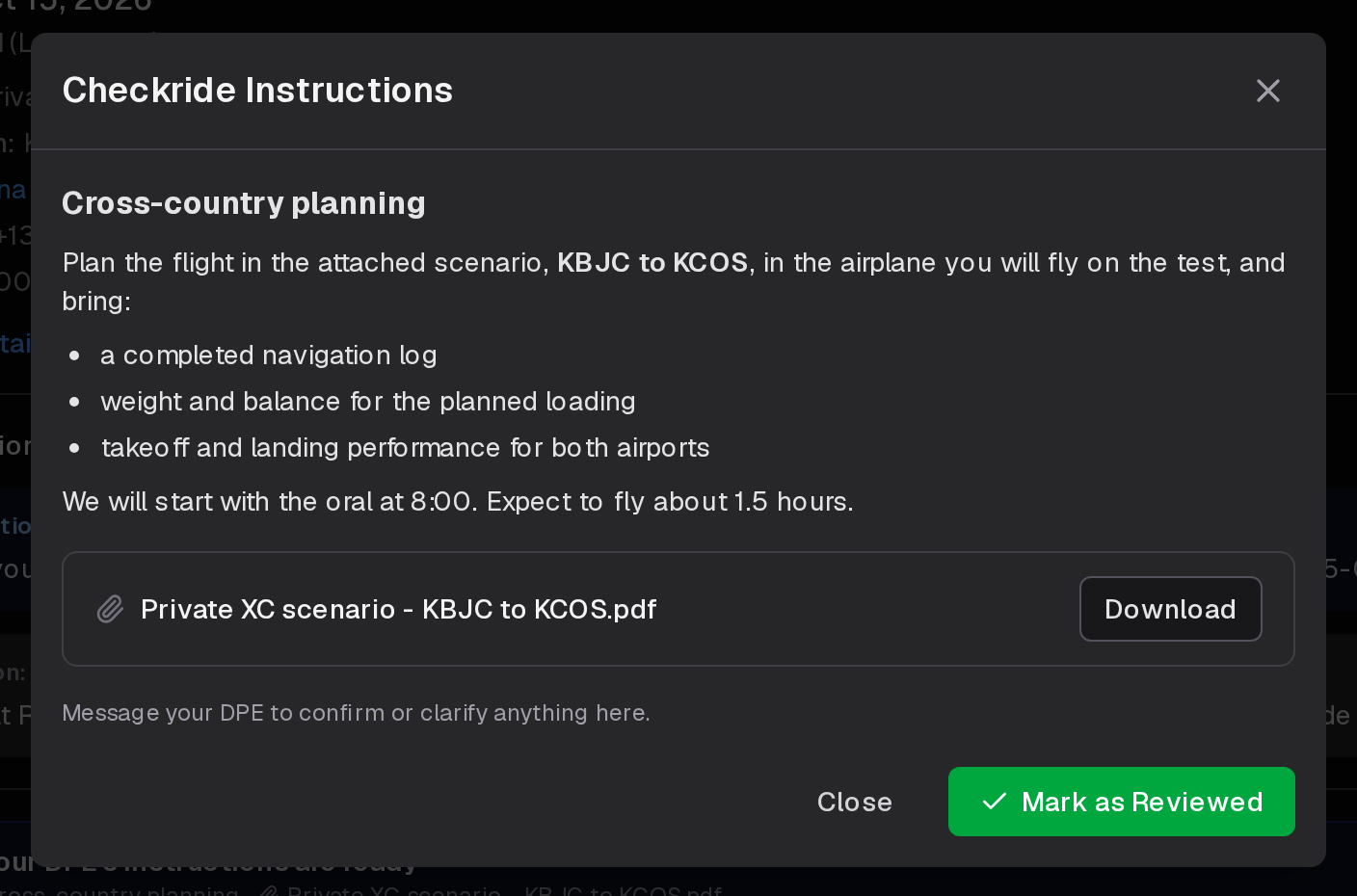
- Attach a document if you like, such as a scenario or a weight and balance sheet: a PDF, Word document or image of up to 25 MB. Applicants download it from the instructions.
- Choose the checkride types they're for. Each group (Private ASEL) chooses all of its types; open it to choose among Initial, Add-on and their flight portions.
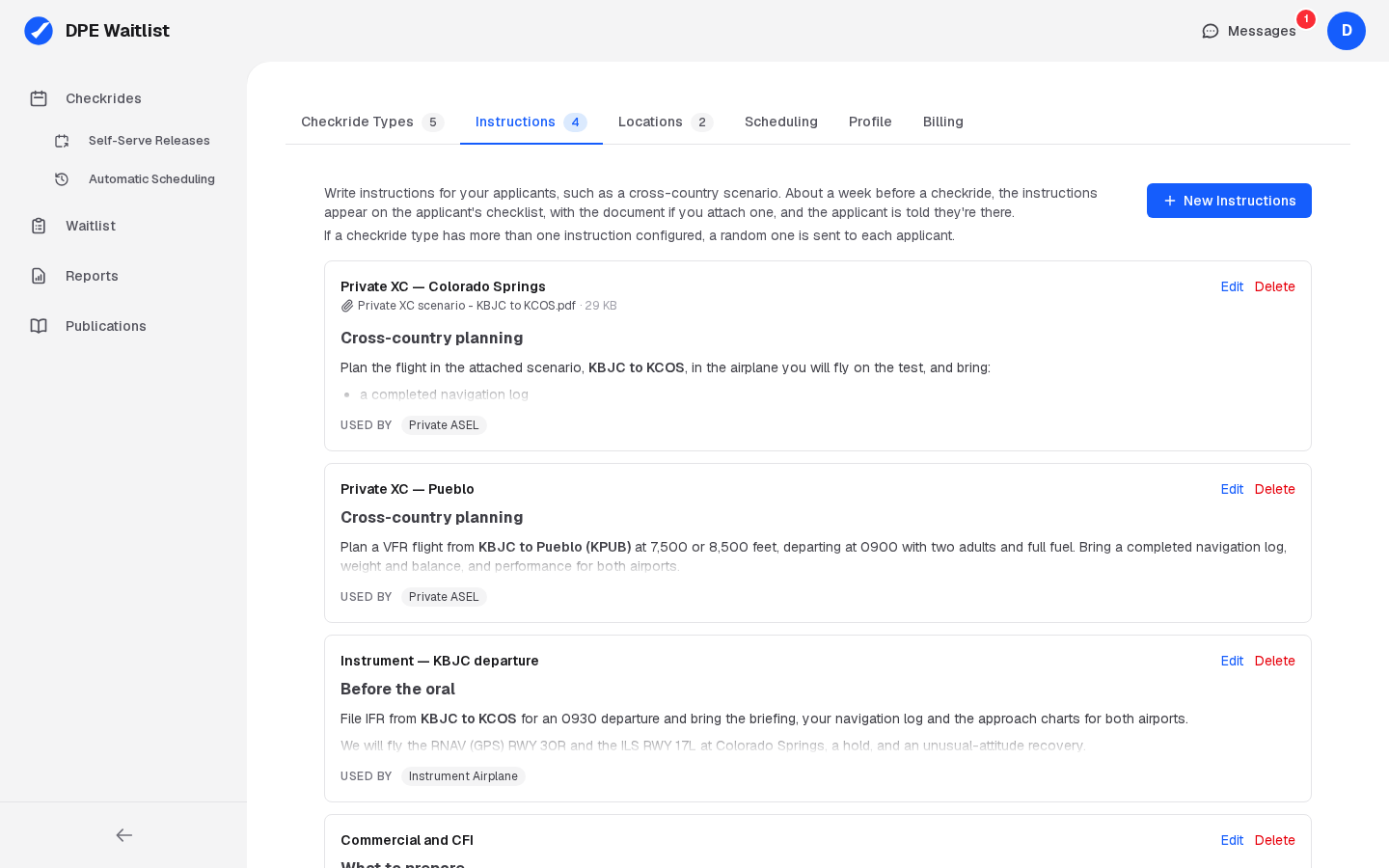
You can also choose a type's instructions on the Checkride Types tab: click Edit on its group and pick from your instructions in its Instructions column.
More Than One Set of Instructions for a Type
A checkride type can have several instructions, for example several cross-country scenarios. Each applicant gets a random one of them, so not every applicant gets the same scenario.
What to Include
Checkride-type instructions should focus on how the applicant should prepare for this specific type of practical test. Consider including:
- Study topics — Key areas of knowledge the applicant should review (e.g., airspace, weather theory, regulations specific to the certificate).
- Required materials — What the applicant should bring beyond the standard checklist (e.g., specific charts, approach plates, flight planning tools).
- Planning expectations — Whether you expect a flight plan to be prepared in advance, and to what level of detail.
- Common deficiencies — Areas where applicants frequently struggle, so they can give those extra attention during preparation.
- Test structure — A general overview of how you structure the oral and flight portions.
When Applicants See These Instructions
About eight days before a confirmed checkride, the DPE INSTRUCTIONS item on the applicant's pre-checkride checklist unlocks and its type's instructions appear on the checklist, with the document if there is one. The applicant opens them there and marks the item reviewed. A message from you tells them they're ready. You can release them sooner from the checkride, and a checkride booked inside that window gets them right away. Editing the instructions changes what applicants already have; deleting them takes them off their checklists.
Type Instructions vs. Location Instructions
Checkride-type instructions and location instructions serve different purposes:
- Type instructions answer "What should I prepare?" — covering study material, equipment, and expectations.
- Location instructions answer "Where do I go and how do I get there?" — covering meeting points, parking, and arrival procedures.
Together, they give the applicant a complete picture of what to expect.
Examples of Effective Instructions
Here are some topics that work well in checkride-type instructions:
- For a Private Pilot checkride: "Be prepared to discuss airspace classifications, weather minimums, and cross-country flight planning. Have a completed navlog for the assigned cross-country route."
- For an Instrument Rating checkride: "Review approach plate symbology, holding procedures, and lost communications procedures. Be ready to demonstrate proficiency with GPS and conventional navigation."
- For a CFI checkride: "Prepare lesson plans for all required areas of instruction. Be ready to teach, not just demonstrate."