Setting Your Base Fee
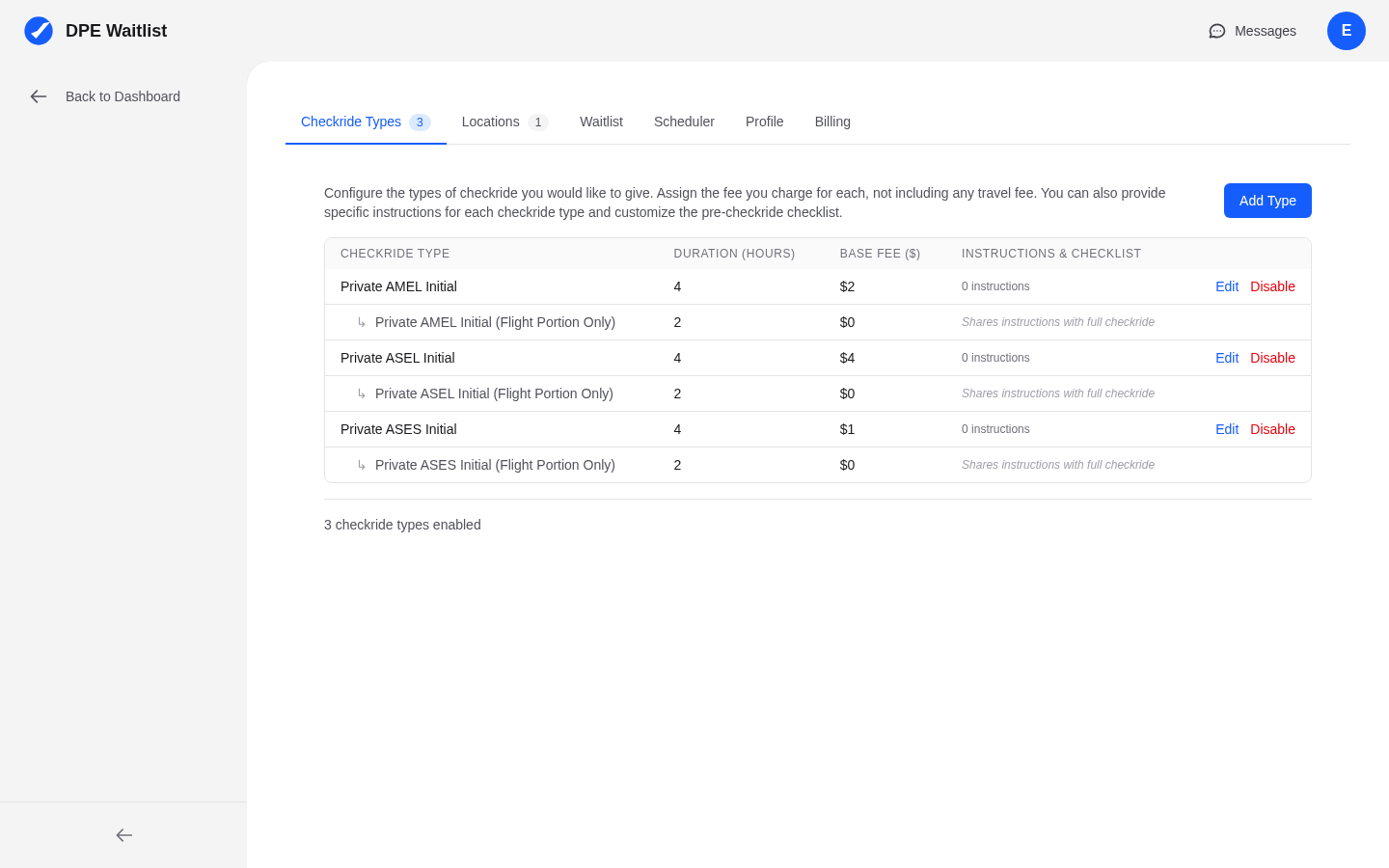
Each checkride type in your configuration has a base fee field. To set or update your fee, navigate to Settings in the sidebar, open the Checkride Types tab, and enter the fee for each type. The base fee represents what you charge for the checkride itself, before any travel fees.
How Fees Appear to Applicants
Your fees are publicly visible to applicants in several places:
- DPE map profile — When applicants browse DPEs on the map, your fees for each checkride type are shown on your profile card.
- Waitlist joining — When an applicant joins your waitlist, they see the fee for the checkride type they are selecting.
- Checkride details — The fee is displayed on the checkride detail page along with any applicable travel fee.
Transparent pricing helps applicants make informed decisions about which DPE to choose.
Base Fees and Travel Fees
The total fee an applicant sees is the combination of your base fee for the checkride type plus the travel fee for the testing location (if any). For example, if your base fee for a Private Pilot checkride is a certain amount and the testing location has a travel fee, the applicant sees the combined total. Locations with no travel fee (such as your home base) only show the base fee.
Fees and the Scheduler
If you use the MAXIMIZE_REVENUE scheduler priority, the scheduler considers the combined fee (base plus travel) when deciding which checkrides to schedule. Higher-fee checkrides are prioritized to maximize your overall revenue from available slots.
Updating Fees
You can change your fees at any time. Fee changes apply to future checkrides only and do not retroactively affect checkrides that have already been offered or confirmed. If you need to communicate a fee change to applicants with pending offers, reach out through the messaging system.