Navigating to the Registration Page
To create your applicant account, go to dpewaitlist.com/register. You can also reach this page by clicking Sign Up or Register from the homepage or login screen.
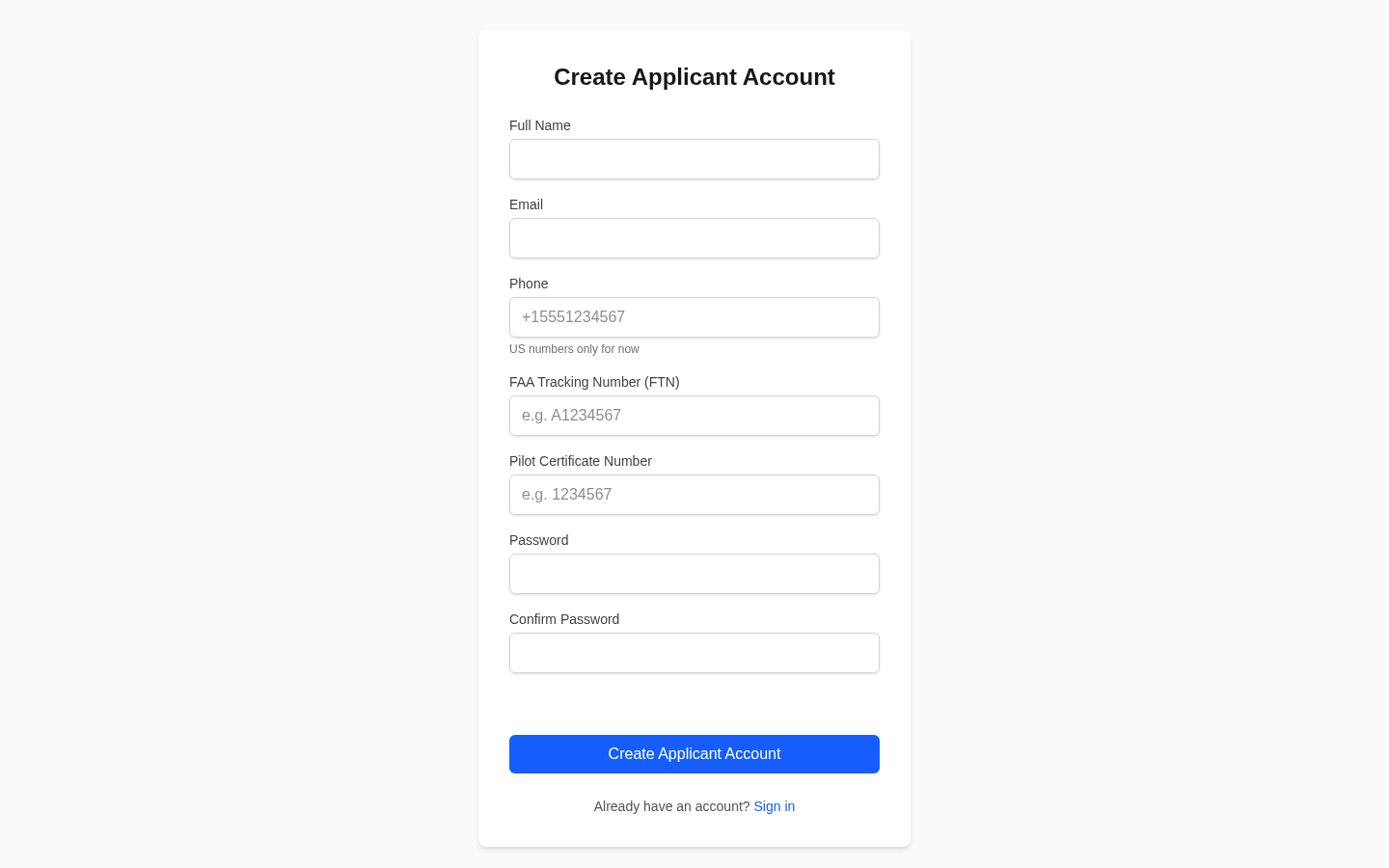
/register page is specifically for applicants. If you are a Designated Pilot Examiner, use the DPE registration modal accessed from the homepage's Get Started button instead.Filling Out the Registration Form
The registration form asks for the following:
- Full Name — Your legal name as it appears on your pilot certificate. This becomes your display name on waitlists and checkride calendar entries. You can change it later in your profile settings.
- Email Address — A valid email you check regularly. This is used for login, notifications, and communication. If a DPE has already invited you to the platform, use the same email address from the invitation so your accounts link automatically.
- Password — Choose a strong password with at least 8 characters. We recommend a mix of uppercase and lowercase letters, numbers, and symbols.
Email Verification
After submitting the form, you will receive a verification email. You must verify your email before you can access the platform's features.
- Check your inbox for an email from DPE Waitlist with a subject line containing "verify" or "confirm."
- Click the verification link in the email.
- You will be redirected to the platform and can log in immediately.
If you do not see the email within a few minutes, check your spam or junk folder. You can request a new verification email from the login page if needed.
Your First Login
Once your email is verified, log in with your email and password. You will be taken to the applicant dashboard, which is your central hub for finding DPEs, managing your waitlists, viewing checkride offers, and tracking your readiness. If you registered using a DPE's invitation link, you may already see an active waitlist entry on your dashboard.
Applicant Accounts Are Free
There is no cost to create or maintain an applicant account. All applicant features — finding DPEs, joining waitlists, receiving checkride offers, messaging, and using pre-checkride checklists — are completely free.