Accessing Your Profile Settings
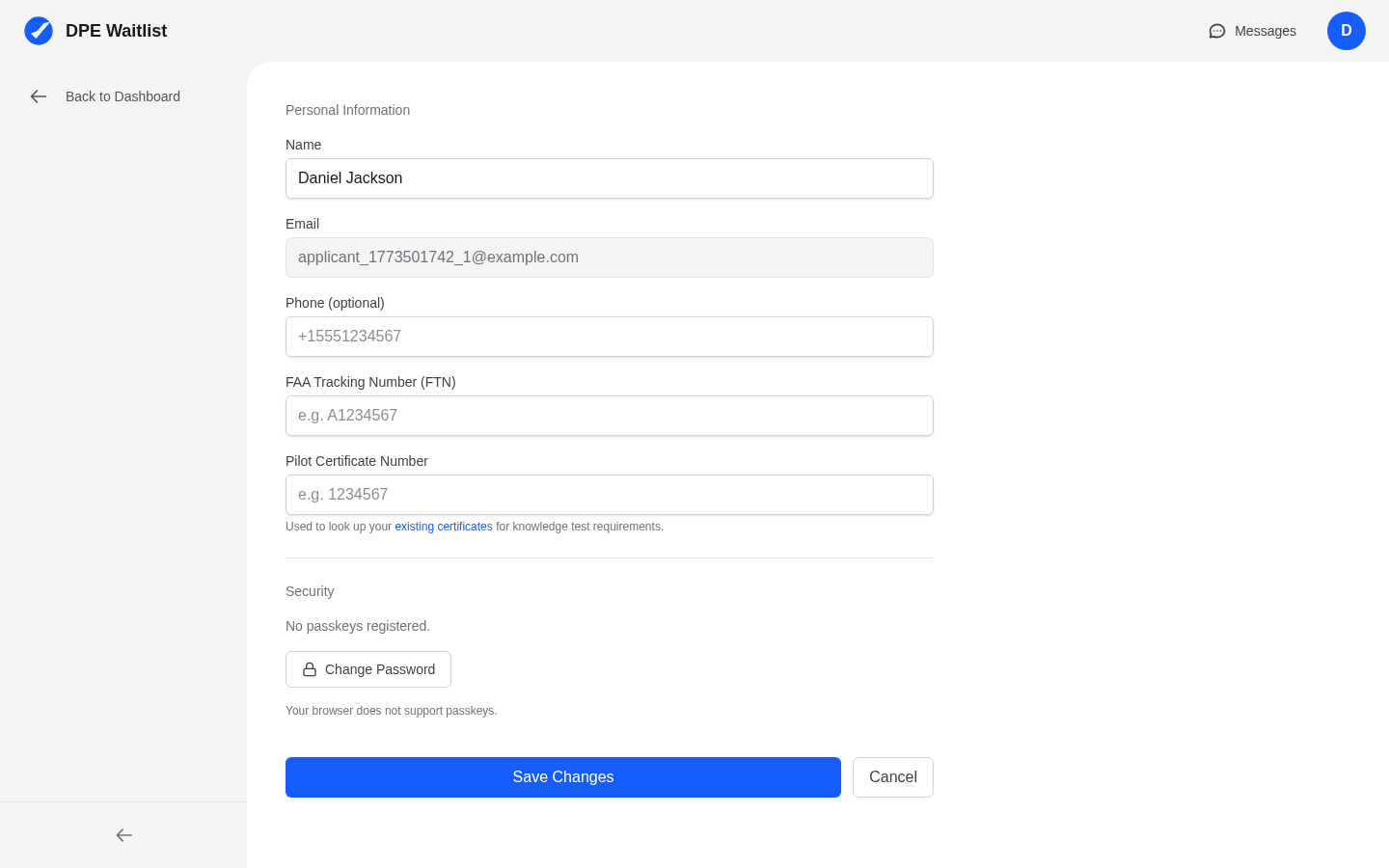
After logging in, click Settings in the sidebar, then select the Profile tab. This is where you manage your personal information and contact preferences.
Setting Your Display Name
Your Full Name is what DPEs see in their waitlist, on calendar entries, and in messages. By default, it is set to the name you entered during registration. This should be your legal name as it appears on your pilot certificate.
Adding a Desired Name
If you go by a different name than your full legal name — for example, a nickname or shortened version — you can set a Desired Name in your profile. When set, your desired name appears in parentheses after your full name wherever DPEs see your information, like this: Michael Robert Smith (Mike). This helps DPEs recognize you while still showing your official name for documentation purposes.
Contact Information
Your profile includes your email address and an optional phone number. Your email is set during registration and is used for login and notifications. You can update your publicly visible email if you prefer a different address for DPE communication.
Why a Complete Profile Matters
When you join a DPE's waitlist, your profile information becomes visible to that DPE. A complete profile with a clear name helps your DPE identify you quickly in their waitlist and on their calendar. Use your legal name as your Full Name for documentation purposes, and set a Desired Name if you go by something different — the DPE will see both.
Who Can See Your Information
Your profile information is only visible to DPEs you have an active relationship with — meaning DPEs whose waitlist you have joined or who have a confirmed checkride with you. Other applicants and the general public cannot see your profile details.