Accessing Your Profile Settings
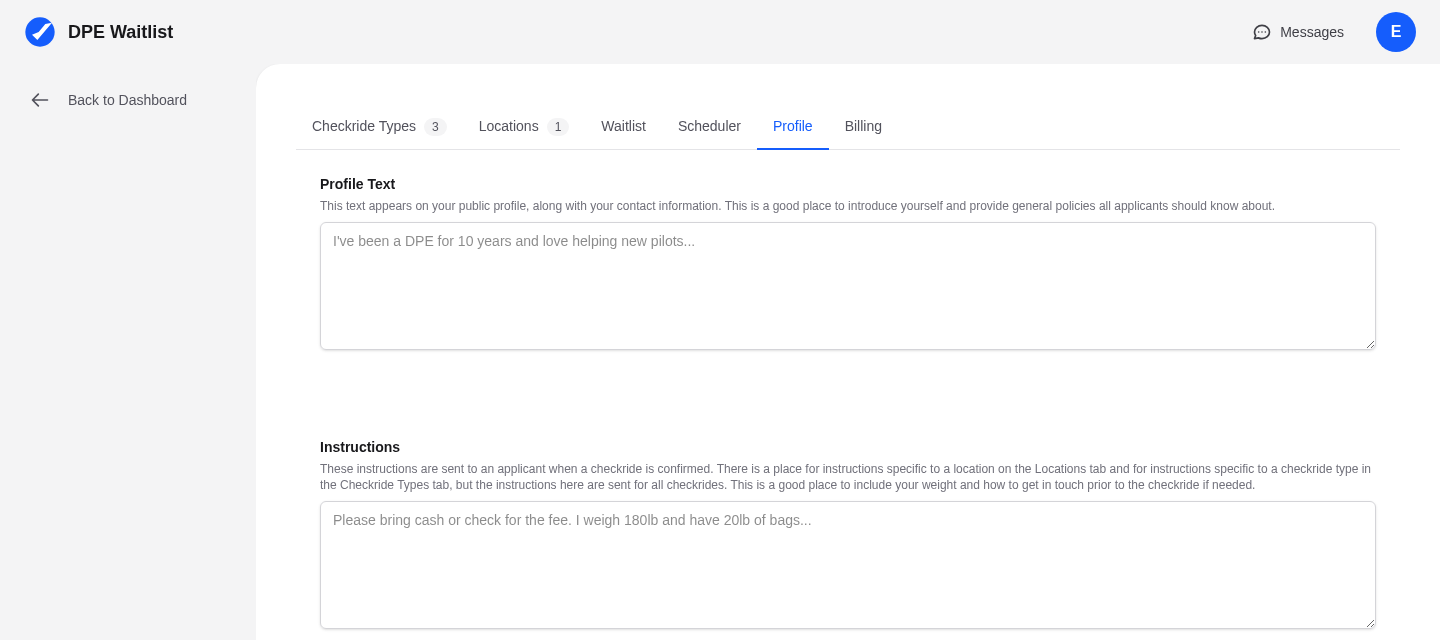
After logging in, navigate to your profile settings by clicking Settings in the sidebar, then selecting the Profile tab. You can also reach this page directly from the Getting Started checklist on your dashboard, which highlights profile completion as one of the first setup steps.
Display Name
Your display name is what applicants see when they find you on the DPE map or receive checkride offers from you. By default, this is set to the name you entered during registration. You can update it at any time. Use the name you are commonly known by professionally — applicants will search for you by this name.
Contact Information
Fill in your contact details so applicants know how to reach you outside the platform if needed:
- Email — Your account email is displayed by default. You can change the publicly visible email if you prefer a different one for applicant communication.
- Phone Number — Adding a phone number is optional but recommended. Some applicants prefer to call, especially for last-minute coordination on checkride day.
Writing Your Bio
Your bio (profile text) is one of the most important parts of your profile. This is the text applicants read when they find you on the DPE map and are deciding whether to join your waitlist.
A good DPE bio typically includes:
- The checkride types you offer (Private, Instrument, Commercial, ATP, CFI, etc.)
- Your general geographic area and testing locations
- Your typical availability (weekdays, weekends, specific days)
- Your approach to checkrides and what applicants can expect
- Any special qualifications, experience highlights, or aircraft type ratings
Your FAA Designee Number
Your FAA designee number was entered during registration and is linked to your official FAA Designee Management System (DMS) records. This connection helps verify your designation and provides applicants with confidence that you are an active, authorized examiner. You cannot change this number directly from the profile page — contact support if a correction is needed.
How Your Profile Appears to Applicants
Your completed profile is publicly visible on the DPE Waitlist map. When applicants search for DPEs by location or checkride type, your profile card shows your display name, bio, the checkride types you offer, and your testing locations. A complete, well-written profile significantly increases the likelihood that applicants will join your waitlist.